This is exactly what I have been talking about. The split between get it done and it must be perfect was always there, AI has made it clear now to everyone.
Generation is where the visible work happens. You provide input, and the AI produces code. This is the moment most developers think of when they imagine AI-assisted development. It is also where most developers start, jumping directly to generation without the specification work that should precede it.
In the ADD cycle, generation is the second phase, not the first. This ordering is deliberate.…
ADD: AI-Driven Development as a Methodology for the Future Engineer
Software development has always evolved through methodologies that structure how we think about building systems. Waterfall gave way to Agile. Test-Driven Development changed how we approach correctness. Behavior-Driven Development shifted focus toward specifications that non-technical stakeholders could understand. Each methodology emerged because the existing approaches no longer fit the…
Observations on vibe coding Fluent Bit configurations
With vibe coding (an expression now part of the Collins Dictionary) and tools like Cline, which are penetrating the development process, I thought it would be worthwhile to see how much can be done with an LLM for building configurations. Since our preference for a free LLM has been with Grok (xAI) for development tasks, we’ve used that. We found that beyond the simplest of tasks, we needed to…
Image request: A stylized depiction of an evolutionary tree merging with lines of code, symbolizing the fusion of biological evolution and software development. Use vibrant colors and a futuristic aesthetic. For years, artificial intelligence has excelled at automating tasks, but what if AI could transcend automation and genuinely innovate? The line between execution and creation is blurring as…
The Mercury Foundation Models logo, representing the core of this innovative AI solution. Introducing Mercury Foundation Models: AI for Developers The world of Artificial Intelligence (AI) is rapidly evolving, and developers are seeking tools that empower them to build innovative applications faster than ever before. Today, we are excited to announce the availability of Mercury and Mercury Coder…
The role of junior developer is evolving. If you’re at this stage in your career, here’s how to keep up and stand out. Everyone’s talking about it: AI is changing how we work. And nowhere is that more true than in the field of software engineering. If you’re just getting started as a developer, you might be wondering: *is AI ruining my chances of getting a junior-level role?* After all, a 2023…
Diffusion models for code generation: Discover how diffusion models can revolutionize code generation by ensuring codebase consistency and reducing manual effort. Learn practical steps to embrace this technology.
Modern code generation tools, such as LLMs, have revolutionized the way developers work. However, they often fall short when it comes to maintaining codebase consistency. The current autoregressive models treat code as a linear sequence, leading to a fragmented and error-prone process. In contrast, diffusion models offer a holistic approach, generating entire codebases in one go while considering all dependencies and documentation.
The Problem with Current LLMs
Autoregressive models, like GPT, are designed to generate text one token at a time. This works well for natural language tasks but falls apart when applied to code. Codebases are complex graphs of interdependent files, functions, and documentation. When you ask an autoregressive model to refactor a function, it might do a great job with the function itself, but it often misses related changes in other parts of the codebase.
For example, refactoring a function in main.py might require updates to the README, test files, API documentation, and configuration files. Each of these changes needs to be tracked and made consistently, which is a challenge for autoregressive models. This leads to a tedious and error-prone process where developers have to constantly remind the model about context and dependencies.
Why Diffusion Models Are the Solution
Diffusion models, originally developed for image generation, offer a promising alternative. These models generate data by considering the relationships between all elements simultaneously. In the context of code generation, this means that a diffusion model can generate an entire codebase in one shot, ensuring that all files, dependencies, and documentation are consistent and up-to-date.
Imagine describing a change to a diffusion model, and it automatically updates all relevant parts of your codebase. No more playing whack-a-mole with codebase consistency. No more forgetting to update the types file or the config file. The model would handle everything in one comprehensive step.
Practical Steps to Embrace Diffusion Models
While diffusion models are still a relatively new concept in code generation, there are steps you can take to prepare for and eventually adopt this technology:
Stay Informed
Follow research developments in diffusion models and their applications in code generation. Key sources include academic papers, tech blogs, and developer forums.
Experiment with Current Tools
Even though diffusion models are not yet widely available, you can experiment with existing LLMs to understand their strengths and limitations. This will give you a better appreciation for what diffusion models can offer.
Advocate for Change
Engage with the developer community and advocate for the adoption of diffusion models. Share your experiences and insights to help drive the conversation forward.
Actionable Tips
Stay Updated: Follow leading researchers and tech companies working on diffusion models.
Experiment: Use current LLMs to identify pain points in code generation.
Collaborate: Join developer communities to discuss and promote diffusion models.
Prepare: Familiarize yourself with the concepts and terminology of diffusion models.
Advocate: Share your findings and experiences to encourage wider adoption.
Conclusion
The future of code generation lies in diffusion models. By treating code as a holistic graph of dependencies, these models can significantly improve codebase consistency and reduce the manual effort required to maintain it. Stay informed, experiment with current tools, and advocate for change to ensure you’re ready for the next big leap in code generation.
How to Build an Android App Using a Low-Code Platform?
Creating a mobile app used to mean long development cycles, huge budgets, and writing thousands of lines of code. But thanks to the evolution of low-code platforms, building an Android app is no longer limited to experienced developers with deep coding knowledge. Whether you are a startup founder, a product manager, or an individual entrepreneur, low-code tools are revolutionizing how applications are built.
In this guide, we will explore how to create an Android app using FAB Studio, an advanced AI-powered code generation platform that simplifies Android application development. You’ll learn what a low-code platform is, its benefits, how FAB Studio can help, how the development process works, real-world use cases, and common challenges to keep in mind.
What Is a Low-Code Platform?
A low-code platform is an application development environment that reduces or eliminates the need for traditional coding. Instead of writing code line by line, developers and non-technical users can use drag-and-drop interfaces, visual workflows, and pre-built templates to build software faster.
Traditional Android app development requires deep expertise in Java, Kotlin, XML, and backend technologies. But low-code platforms make it possible to create applications using simple visual elements and automated code generation. This approach speeds up the development process and allows businesses to deliver applications to the market quickly.
Low-code platforms like FAB Studio are ideal for:
Startups looking to launch their app MVP quickly
Businesses creating internal tools
Enterprises needing scalable apps without heavy IT resources
Non-technical founders who want to build apps without hiring a large development team
Why Choose a Low-Code Platform for Android App Development?
Low-code platforms are transforming how mobile apps are built. Here’s why they’re worth considering:
Speed of Development — Pre-built templates, automation, and visual tools make app creation significantly faster.
Cost Efficiency — Reduced dependency on experienced developers lowers development costs.
Flexibility — Many platforms allow you to export your code and integrate it with existing systems.
Ease of Use — Visual builders and automated code generators make it easy for anyone to build an app.
Scalability — Modern low-code platforms support scalable frameworks, enabling apps to handle high traffic as they grow.
How Can FAB Studio Help Build Your Android App?
FAB Studio is a powerful application development platform that combines AI-powered code generation and low-code capabilities. Unlike conventional development environments, FAB Studio focuses on automation and simplicity while maintaining professional-grade code quality.
Key Features of FAB Studio:
AI Code Generator: Automatically creates clean, production-ready code based on your specifications.
Pre-Built Modules and Templates: Ready-to-use components for common app functions like user login, product catalogs, and payment systems.
Flexible Tech Stack Options: Choose from popular frontend (React.js, Angular, Vue.js), backend (Node.js, Java, .NET), and database (MongoDB, PostgreSQL, MySQL) technologies.
Cloud-Ready Deployment: Deploy directly to platforms like AWS, Google Cloud, or Azure.
Visual Data Modeling: Simplify complex data relationships with an intuitive visual interface.
This platform reduces development time dramatically, allowing startups and enterprises to launch apps faster without compromising on performance or security.
How Does FAB Studio Work for Android App Development?
FAB Studio provides a streamlined process to help you move from an idea to a fully functional Android app quickly.
Step 1: Sign Up and Access FAB Studio
The journey begins with creating an account on FAB Studio. Visit fabbuilder and sign up. Once logged in, you’ll enter an intuitive workspace designed specifically for application development.
FAB Studio’s development environment comes with pre-built modules, automation tools, and templates tailored for Android app creation. This eli
minates the complexity of setting up servers or frameworks manually, allowing you to focus on building your app.
Step 2: Describe Your App
Before writing any code, FAB Studio’s AI assistant guides you through defining your app’s core purpose, target audience, and main features. Simply provide:
App Name
Problem It Solves
Key Functionalities
This information helps the platform automatically generate a basic app structure, ensuring you start on the right foundation.
Step 3: Choose Your Tech Stack
FAB Studio allows you to choose from modern, battle-tested technologies:
Frontend: React.js, Angular, or Vue.js
Backend: Node.js, Java, or .NET
Database: MongoDB, PostgreSQL, or MySQL
Selecting the right tech stack ensures your app is scalable, secure, and easy to maintain. Even if you’re unsure which technologies to choose, FAB Studio provides recommendations based on your app’s needs.
Step 4: Define Your Data Model
Apps rely on structured data, and FAB Studio makes it easy to build data models visually. You can create entities like user profiles, products, or transactions using drag-and-drop tools. For example:
User Profiles: Name, email, phone number, preferences
Products: Item name, description, price, stock
Transactions: Amount, date, payment methodThis ensures your backend is properly structured before moving to design and deployment.
Step 5: Preview and Iterate
FAB Studio’s live preview feature allows you to test your app in real time. You can click through screens, test workflows, and evaluate the user interface before finalizing it. This interactive step allows quick iterations and avoids costly reworks after deployment.
Step 6: Deploy Your App
Once everything looks perfect, you’re ready to launch. FAB Studio offers multiple deployment options:
Cloud Deployment: Deploy directly to AWS, GCP, or Azure with one click.
Source Code Download: Download the generated source code for deployment on your preferred hosting platform.
Containerized Deployment: Use Docker for scalable, containerized application hosting.
After deployment, collect user feedback and continue enhancing your app using FAB Studio’s integrated update and maintenance tools.
What Are the Benefits of Using FAB Studio’s Low-Code Platform?
Using FAB Studio for Android development offers multiple advantages:
Faster Time-to-Market: Launch your app in weeks instead of months.
Lower Development Costs: Reduce dependency on large coding teams.
Cross-Platform Flexibility: Build Android apps and expand to iOS with ease.
AI Code Generation: Automatically generate application logic based on your inputs.
Professional-Grade Output: Even with little coding knowledge, you get production-ready apps.
What Are Some Real-Life Use Cases of FAB Studio?
FAB Studio has been successfully used in multiple industries:
E-commerce Apps — Launch an online store with product listings, cart functionality, and payment gateways without writing code from scratch.
Healthcare Platforms — Build apps with appointment booking, patient records, and telemedicine features.
Educational Apps — Create apps for online learning, video streaming, and student dashboards.
What Are the Common Challenges When Using Low-Code Platforms?
While low-code development is highly beneficial, there are some challenges to consider:
Customization Limitations — Complex custom features may still require manual coding.
Platform Dependency — Moving an app built on one low-code platform to another can be difficult.
Scalability Concerns for Very Large Projects — While most low-code platforms scale well, extremely complex enterprise-level apps may require traditional development.
Learning Curve for First-Time Users — Although easier than coding, low-code platforms still require users to learn their environment and workflow.
Why Should You Choose FAB Studio Over Other Low-Code Platforms?
Not all low-code platforms are created equal. FAB Studio stands out because it combines:
AI-Powered Code Generation for faster automation
Cross-Platform Support for Android and iOS
Enterprise-Ready Features such as cloud deployment and Docker integration
Flexible Output allowing developers to export full source code
For businesses looking to deliver professional-quality apps without long development cycles, FAB Studio provides an excellent balance of automation, flexibility, and scalability.
Conclusion
Building an Android app no longer requires months of coding and large development teams. With low-code platforms like FAB Studio, you can quickly create, customize, and deploy apps without compromising on quality or performance.
Whether you are a startup launching your first MVP, a business creating internal tools, or a developer looking to speed up workflows, FAB Studio’s AI-powered code generation platform simplifies the process significantly. From signing up to deploying on the Google Play Store, you can bring your app idea to life faster, more affordably, and with far less technical complexity.
If you’re ready to build your Android app, explore FAB Studio and experience how low-code development can transform your approach to mobile app creation.
FAQ
1. What is a low-code platform for Android app development?
A low-code platform allows users to build Android apps using visual tools and pre-built components instead of writing extensive code, speeding up development.
2. How does FAB Studio help in building Android apps?
FAB Studio provides AI-powered code generation, a drag-and-drop UI builder, and cloud deployment features, making Android app development faster and simpler.
3. Can I build an app without coding knowledge using FAB Studio?
Yes, FAB Studio’s no-code and low-code features enable even non-technical users to design, develop, and deploy Android apps easily.
4. Is a low-code app as scalable as a traditionally coded app?
Yes, apps built with platforms like FAB Studio are scalable and can handle growing user bases, with options for cloud hosting and advanced integrations.
5. How long does it take to build an Android app using FAB Studio?
With FAB Studio’s automated tools, you can create and deploy a functional Android app within days or weeks, compared to months with traditional coding.
💡 Building apps just got smarter—with zero stress and almost zero code. Welcome to FAB Builder – your all-in-one AI-powered low-code platform that helps you go from idea to deployment in record time! ⏱️
Whether you’re a startup, developer, or a non-tech founder, FAB Builder is the code generation platform that makes complex app development as simple as drag, drop, and deploy.
Here’s what you get with this next-gen code generation tool: 🔹 One-Click Deployment – Publish your full-stack app instantly 🔹 Cloud Storage & Security – Keep your data safe and accessible 🔹 Multilingual Support – Build for global users with ease 🔹 SaaS-Based Platform – Access your projects from anywhere, anytime 🔹 Fully Customizable Code – Your app, your rules 🔹 Low-Code Web App Builder – Design sleek UIs without touching boilerplate code
With our AI code generator, you can skip the setup headaches and focus purely on innovation.
🚀 Start building powerful, scalable web apps with FAB Builder – the smartest low-code development platform built for speed and efficiency.
How to Export Clean Code & Avoid Vendor Lock-In with FAB Builder
Have you ever built an application on a platform only to realize later that you’re stuck with it? This is a common problem in the modern development ecosystem, especially with the growing popularity of no code platforms. While these platforms promise speed, flexibility, and scalability, many developers and businesses find themselves trapped in what’s called vendor lock-in. But does it have to be this way?
What if there was a way to combine the speed of a no code platform with the freedom of custom code? What if you could develop applications quickly and still walk away with clean, exportable code you truly own? This is where FAB Builder enters the conversation, changing the way we think about code generation and app development.
Why is Clean Code Export Important?
Let’s start with the basics. What does it mean to export clean code?
In the world of application development platforms, clean code refers to code that is easy to read, maintain, modify, and reuse. Clean code is well-structured, follows standard conventions, and avoids unnecessary complexity. Exportable clean code means that what you create inside a platform can be taken out and run, modified, or extended independently.
This feature is not just a convenience—it’s a necessity.
When your business depends on a web or mobile app, being tied to a specific platform to maintain or scale it can become a serious roadblock. You might face challenges like:
Paying recurring licensing fees
Waiting for vendor-specific updates
Inability to integrate with other tools
Trouble onboarding developers who aren’t familiar with the proprietary environment
Risk of losing your application if the platform goes offline or changes its policy
Would you buy a car if you could only drive it on one specific road? Probably not. That’s what vendor lock-in feels like in the tech world.
What Is Vendor Lock-In in No Code Platforms?
Vendor lock-in happens when the platform you use to build your application restricts your ability to move your app or data elsewhere. Many no code platforms offer great tools, intuitive design, and fast deployment, but the trade-off is that the app lives entirely within their ecosystem.
You may have limited access to the underlying code, meaning you can’t export or run your app without the platform. Even if code export is offered, it’s often poorly structured, bloated, or filled with proprietary dependencies that make it nearly impossible to edit or manage outside the original environment.
Is this really the freedom that no code promised?
Can You Really Have the Best of Both Worlds?
Here comes the big question: Can you combine the ease of no code platforms with full control over your application? The answer lies in the evolution of modern code generation technology.
Traditional code generators have been around for a while, but many still fall into the same trap—producing unreadable or unscalable code. But with advancements in AI code generators and smart code builders, the approach is shifting.
FAB Builder, for instance, has been designed to rethink how we build, export, and scale applications.
How FAB Builder Approaches Code Generation Differently
When examining FAB Builder, a few things become clear. The platform positions itself as an intuitive application development platform that puts control back into the developer’s hands.
So how does FAB Builder help you avoid vendor lock-in?
1. Exportable, Developer-Ready Code
One of the standout features is its ability to generate exportable code that adheres to standard frameworks. Instead of trapping you in a closed ecosystem, FAB Builder acts more like an intelligent code generator—allowing you to develop visually and then export real, clean code.
You can take this code, modify it in your preferred IDE, integrate it with third-party systems, or even host it independently. This breaks the cycle of dependency and allows full autonomy over the product.
Wouldn’t you rather build with confidence, knowing your code is yours to keep?
2. Clean Code Structure for Scalability
The code generated by FAB Builder isn’t just exportable—it’s also clean and modular. That means any developer with experience in standard technologies can pick it up, understand it, and work with it. Clean, readable code is crucial when scaling your application, onboarding new team members, or debugging.
If you’ve ever tried to untangle poorly generated code, you know how much time and energy that consumes. So why not use a code builder that keeps code hygiene in mind from the beginning?
3. AI-Powered Code Generation with Developer Logic
Another key differentiator is FAB Builder’s use of AI—not just for smart suggestions or faster development, but for real-time AI code generation that respects logic, flow, and modern best practices.
Instead of spitting out blocks of generic code, the system understands the user’s intent, making it possible to generate clean, optimized code that mirrors how a developer would write it.
Isn’t it time that AI-assisted coding stopped being a gimmick and started being practical?
Why Should Businesses Care About Vendor Lock-In?
From a business perspective, being tied to a single platform can have long-term consequences. Initially, it may seem cost-effective or timesaving, but as your application evolves, the limitations begin to surface.
You might need to:
Integrate with legacy systems
Implement custom features not supported by the platform
Shift to on-premises hosting due to compliance requirements
Transition to a new tech stack based on market demands
If you’re locked in, each of these moves becomes difficult, expensive, or impossible.
Choosing a platform that gives you control from day one can help future-proof your product.
Is No Code the Right Approach if You Want Full Control?
This is where the conversation gets interesting. Traditional views often pit no code against full-stack development—as if one is fast but limited, while the other is powerful but slow. But with platforms like FAB Builder, this binary thinking is being challenged.
No code doesn’t have to mean no control.
By providing a hybrid approach—visual development backed by exportable, structured code—FAB Builder offers a middle path. It empowers non-developers to prototype and build, while also enabling developers to refine, scale, and own the final product.
Can a no code platform be both easy and professional? The answer seems to be yes—if it’s built with flexibility and ownership in mind.
How to Avoid Vendor Lock-In: Practical Steps
Avoiding vendor lock-in requires a conscious approach. Here are key considerations when evaluating a platform:
Does the Platform Offer Code Export?
This should be the first box to check. Look for platforms that don’t just offer code export, but ensure that the code is well-structured and free from proprietary dependencies.
What Technology Stack Does It Use?
Make sure the generated code is based on widely accepted frameworks and languages. This will make it easier to maintain and scale with standard developer resources.
Can Developers Take Over Easily?
Even if the app was built using no code tools, the code should be intuitive enough for professional developers to work with. You shouldn’t need to “rebuild” everything just to add new features.
Is the Platform Transparent?
Transparency about how the code is structured, what technologies are used, and how the backend operates is critical. Avoid platforms that operate like black boxes.
Does It Support Long-Term Flexibility?
Think about your product’s future. Will you need to integrate with other services? Host on different servers? Add new user roles or workflows? Choose a platform that supports this kind of evolution.
Is FAB Builder the Future of Code Ownership?
While there are many tools in the no code space, few manage to offer the same degree of balance between visual simplicity and backend control as FAB Builder. Its emphasis on clean code generation, developer-ready exports, and AI-assisted logic makes it a powerful tool for those who want to build quickly but scale intelligently.
More than just a development platform, it acts as a code builder that doesn’t compromise code ownership—a crucial need in today’s fast-paced, ever-changing tech environment.
In a world where technology changes overnight, wouldn’t you rather build a foundation you control?
Final Thoughts: What Kind of Builder Do You Want to Be?
Choosing a no code platform isn’t just about faster development—it’s about long-term control. With most platforms, speed often comes at the cost of ownership. But tools like FAB Builder challenge that norm by offering both visual simplicity and full access to clean, exportable code.
In a rapidly changing tech world, being able to own, edit, and scale your application without limitations is a major advantage. Whether you’re building a startup MVP or a scalable enterprise solution, having the freedom to grow on your own terms is essential.
So ask yourself—do you want to be a builder who’s locked into a system, or one who fully owns and shapes their product from start to finish? With the right platform, you don’t have to choose between ease and control—you can have both.
FAQs
Q1. What is vendor lock-in in no code platforms? Vendor lock-in refers to the limitations users face when they cannot move their app, data, or code outside a platform, often due to lack of exportable or editable code.
Q2. Can no code platforms like FAB Builder export clean code? Yes, FAB Builder allows developers to export clean, modular code that can be independently hosted, modified, and extended without relying on the platform.
Q3. Why is clean code important for application development? Clean code ensures scalability, easier debugging, better collaboration among developers, and long-term sustainability of your application.
Q4. How does FAB Builder use AI in code generation? FAB Builder uses AI to understand the user’s intent and generate developer-grade, optimized code structures, improving both speed and accuracy.
Q5. What are the benefits of using a hybrid no code platform? A hybrid no code platform like FAB Builder allows fast visual development along with full code export, offering the best of both worlds—speed and control.
Wow I really didnt think about it until reading the qemu patch about it [0] but yeah of course you can’t just accept any AI generated code at the moment due to potential future licensing conflicts depending on future legal consensus
Exploring the Tech Stack Behind AI-Powered Full-Stack Code Generators
AI code generators are transforming how we build software—turning complex coding into a fast, intuitive process. With just a few inputs, these tools can generate full-stack applications, empowering developers, designers, and even non-tech users to launch apps in record time. No more endless lines of code or overwhelming development cycles—just smarter, faster creation. In this blog, we’ll break down what an AI code generator really is, uncover the tech that powers it, explore real-world use cases, and introduce you to FAB Builder—a revolutionary platform that takes AI-driven app creation to the next level.
What Is an AI Code Generator?
An AI code generator is a software tool that uses artificial intelligence and machine learning to automatically generate code based on inputs like natural language, logic diagrams, or visual app builders. Instead of hand-coding every component, these platforms leverage pre-trained models and intelligent algorithms to produce syntactically correct and contextually relevant code snippets—or even complete applications.
Some AI code generators focus on frontend components, others handle backend development, and many today manage full-stack code generation, including APIs, databases, user interfaces, and authentication.
Core Technologies Behind AI Code Generators
Understanding what powers an AI code generation platform involves looking at its technology stack. These tools combine multiple advanced technologies to deliver a seamless user experience:
1. Natural Language Processing (NLP)
AI code generators use NLP to understand human instructions. When a user types a command like “Create a login form with email and password fields,” the AI interprets it into programming logic.
2. Machine Learning and Deep Learning Models
Pre-trained models like GPT or Codex (based on OpenAI’s architecture) are trained on massive datasets of source code, enabling them to predict and generate functional code in various languages and frameworks.
3. Low Code/No Code Frameworks
Many AI code generators combine AI with low code platforms to allow users to visually design their app, while the system writes clean code in the background.
4. Cloud Infrastructure
To support real-time generation and deployment, these tools rely on scalable cloud services, including AWS, Azure, or GCP.
5. Integrated Development Environments (IDEs) & APIs
Modern AI code builders offer built-in IDEs or integrate with third-party platforms. APIs play a key role in backend logic generation and third-party service integration.
Key Features of AI-Powered Code Generators
While each platform varies, most AI code generators include the following capabilities:
Drag-and-drop UI builder
Auto-generation of frontend & backend code
Data modeling and database setup
API integrations
Code editing and export options
Deployment and hosting support
Multi-language support
These features enable faster prototyping, greater accuracy, and a more efficient development cycle.
Benefits of Using an AI Code Generator
1. Accelerated Development
AI code generators drastically reduce development time by automating repetitive coding tasks.
2. Lower Entry Barrier
Non-developers or junior developers can build functional apps without deep programming knowledge.
3. Improved Code Quality
Pre-trained AI models often generate code that follows best practices, reducing bugs and increasing maintainability.
4. Cost-Effective
With fewer manual development hours required, businesses can launch products faster at reduced costs.
5. Scalability and Flexibility
Many platforms allow for exportable code, enabling teams to customize and scale as needed.
Real-Life Use Cases of AI Code Generation
Startup MVP Development
Early-stage startups use AI code generators to quickly build and test MVPs, saving months of development.
Educators use these platforms to teach coding logic and app development principles visually and interactively.
Marketing and Landing Pages
Marketing teams can design, build, and deploy responsive websites or product landing pages using code-free tools.
Among the emerging leaders in this space is FAB Builder, an advanced application development platform that blends AI-driven logic, visual design, and robust infrastructure. It simplifies app creation with built-in code generation, page builder, CMS, and deep integrations such as FAB CRM, FAB Analytics, and bulk message tools. As a low code platform, it provides solutions for building apps and web platforms with real-time user tracking, analytics through FAB Analytics, and effective multi-channels communication tools—making it a competitive option for startups and enterprises alike.
Uses of AI Code Generators
AI code generators are being adopted across industries and roles, enabling:
Rapid app development for entrepreneurs and startups
Prototyping and wireframing for UI/UX designers
Creating automation scripts and backend services for DevOps teams
Generating reusable code snippets and boilerplates for developers
Developing internal portals and CRMs in enterprises
Building data dashboards and analytics tools
Empowering content teams to create web pages without developers
These diverse use cases highlight the versatility and impact of AI-powered development tools in real-world workflows.
Popular Tools in the AI Code Generator Space
1. GitHub Copilot
Backed by OpenAI and GitHub, Copilot is a smart AI assistant for coding within your IDE.
2. Replit Ghostwriter
A browser-based AI coding assistant for developers building directly in Replit.
3. Builder.ai
Allows non-tech users to build apps by conversing with an AI assistant. Focused on MVPs and startups.
4. Appsmith + AI
Combines open-source visual app development with AI suggestions and components.
5. FAB Builder
Distinguished by its full-stack capabilities, user behavior analytics, CRM integration, and content management—all in one powerful code builder and low code platform.
The Future of AI Code Generation
As AI continues to evolve, so will code generation tools. We’re already witnessing:
Contextual code understanding
Voice-based app development
Real-time debugging with AI
Increased security automation
Full SDLC (Software Development Life Cycle) support within AI tools
AI code generators aren’t replacing developers. They’re empowering them—automating the mundane, accelerating the complex, and opening the doors of app creation to all.
Conclusion
The emergence of AI code generators marks a significant shift in software development. By combining artificial intelligence with intuitive design and automation, these tools make app development faster, smarter, and more accessible.
Platforms like FAB Builder are leading this revolution by integrating powerful modules such as FAB Studio, FAB Analytics, and FAB CRM, creating an all-in-one ecosystem for modern application development.
If you’re a business looking to scale quickly or a developer trying to reduce coding overhead, embracing AI code generation is more than just an option—it’s a competitive advantage.
How to Create an App from Scratch Without Coding: A Step-by-Step Guide
Creating an app from scratch without writing a single line of code may have seemed impossible a few years ago—but today, it’s not only possible, it’s incredibly easy and accessible. Whether you’re a business looking to digitize operations or a creative thinker with a big idea, building an app has never been more accessible. With the rise of intuitive platforms and powerful no-code tools, you no longer need to rely on developers or learn complex programming languages. Instead, you can bring your vision to life quickly, efficiently, and affordably. These modern solutions are changing the way we think about development, making it easier than ever to turn ideas into fully functional applications without any coding experience.
Thanks to advanced platforms like FAB Builder, building high-performance, scalable applications is no longer limited to those with a background in software development. This powerful application development platform empowers users to turn their ideas into reality quickly and efficiently, without needing to write a single line of code. Let’s walk you through the detailed step-by-step process of creating an app without coding, explore the benefits of using such platforms, and highlight the features that make them truly indispensable for modern businesses of all sizes.
Why You Should Learn How to Create an App Without Coding
The traditional app development process often involves hiring costly developers, managing project delays, struggling with technical jargon, and dealing with unexpected bugs. But not anymore.
Mastering the process of using an app builder opens the door to innovation for everyone. Whether you’re launching a startup MVP, building internal tools, or crafting a personalized client experience, this approach allows you to:
Save time and money
Maintain complete creative control
Launch faster and test more efficiently
Build scalable, professional-grade apps
Introducing FAB Builder: The Smart Way to Build Apps Without Coding
FAB Builder is a next-generation application development platform designed for the no-code and low-code revolution. It’s not just a web builder—it’s a full-fledged code builder and AI-powered code generator that delivers functional apps with enterprise-level architecture.
This platform bridges the gap between visual app builders and hardcore developers by allowing you to start fast and scale easily. Here’s how FAB Builder enables you to create an app without coding—effortlessly.
Step-by-Step Guide on How to Create an App Without Coding
Step 1: Start a New Project with a Purpose
Begin by launching a new project. Give your app a meaningful name, define its objectives, and identify the problems it solves. Understanding your app’s purpose is the foundation for building a solution that resonates with your target audience.
This step ensures you’re not just creating an app—but delivering real value.
Tip: Think like your end-user. What are their pain points? What can your app solve better or faster?
Step 2: Select Your Tech Stack (Even If You Don’t Know What That Means)
One of the best parts of using FAB Builder is that you don’t need to understand tech stacks to choose one. The platform simplifies the process while giving you access to:
Frontend Frameworks: React.js, Angular, Vue.js
Backend Languages: Node.js, Java, .NET
Databases: MongoDB, PostgreSQL, MySQL
Even though you’re not coding, your app will still be built on battle-tested, modern technologies—making it future-proof.
Step 3: Visually Design Your Data Model
This is where FAB Builder shines. Using its visual drag-and-drop interface, you can design your app’s logic without writing code. Define entities, set relationships, and manage validations—all within an intuitive UI.
This is a key benefit for those wanting to create an app without coding but still want to control how data is handled.
Step 4: Let AI Generate Your Backend and Frontend
FAB Builder’s built-in AI code generator takes your visual design and instantly converts it into real backend APIs and frontend components.
RESTful APIs?
Authentication modules?
Responsive UI?
Scalable database architecture?
You’ve essentially got a working prototype in minutes. This radically accelerates your app development journey.
Step 5: Customize Deeper If Needed
Even though you’re learning how to create an app without coding, FAB Builder doesn’t lock you out of the code. Want to implement advanced logic, integrate with third-party services, or tweak the UI? Go for it.
You can dive into the clean, modular codebase whenever you’re ready—or let it be. Either way, you’re in full control.
Step 6: Live Preview and Instant Testing
Gone are the days of waiting for developers to push code to test servers. With FAB Builder’s live preview feature, you can test functionality, check user experience, and iterate on the fly.
Instant feedback = Better UX + Fewer bugs
This is why so many teams prefer to create apps without coding—faster iterations, smoother updates, and lower risk of failure.
Step 7: Deploy to the World in One Click
Once your app is polished, it’s time to launch. FAB Builder allows one-click deployment to cloud platforms like:
Amazon Web Services (AWS)
Google Cloud Platform (GCP)
Microsoft Azure
Prefer to manage hosting yourself? No problem—you can download the complete source code and deploy it anywhere.
The True Power of Creating Apps Without Coding
Now that you’ve seen the steps, let’s dive into why the ability to create an app without coding is a complete game changer, particularly for modern businesses and entrepreneurs.
1. Lightning-Fast Time to Market
From idea to MVP in days—not months. That’s the power of visual development and automated code generation.
2. Cost Savings Like Never Before
Why hire a team of developers when you can build the app yourself? FAB Builder eliminates the need for middlemen and bloated budgets.
3. Unmatched Scalability
Even without writing code, you’re building on top-tier technology. Whether you’re serving 10 users or 10,000—your app can scale effortlessly.
4. Empowering Non-Technical Teams
Marketers, designers, business owners—anyone can now create fully functional applications. No technical barrier = more innovation.
5. Continuous Improvements with Real-Time Testing
Iterate, refine, and release new versions on the fly. FAB Builder’s live preview makes agile app development a breeze.
FAB Builder Features That Help You Create an App Without Coding
Visual Data Modeling Tool
AI-Powered Backend and Frontend Generation
Built-In RESTful API Creation
User Authentication Modules
Responsive, Mobile-Friendly UI Components
Real-Time Preview and Testing
Downloadable Codebase
Scalable Cloud Deployments
Each of these features contributes to making FAB Builder the best app builder for those who want to create an app without coding.
Who Should Learn How to Create an App Without Coding?
This isn’t just for hobbyists. Professionals across all sectors are adopting no-code and low-code tools:
Startup Founders: Build MVPs to test ideas before fundraising.
Agile Teams: Create internal tools for productivity and collaboration.
Educators: Design learning management systems and digital classrooms.
E-commerce Sellers: Launch custom stores or inventory trackers.
Consultants: Build white-label apps for clients.
No matter your industry, if you have a problem that needs solving—you can build an app for it.
From Vision to Reality—No Code Needed
In the past, building an app required either coding skills or a big budget. But today, anyone with an idea and determination can build something powerful and impactful.
FAB Builder makes this process not just possible—but effortless. While it’s not the only tool in the market, its combination of AI-powered backend generation, visual design, and scalable deployment truly sets it apart.
We invite you to explore more about FAB Builder here and begin your journey toward creating an app without coding—without compromise.
Conclusion
Creating your own app no longer needs to be a complicated or expensive dream. Thanks to advanced tools like an app builder and web builder powered by AI code generation, you can now turn your ideas into reality—without writing a single line of code. Whether you’re building something for your business, launching a new startup, or just solving a personal problem, platforms built for low code and no code development give you the power to move fast and smart. These intuitive, scalable, and flexible tools make it easier than ever to build fully functional applications on a professional-grade application development platform. You’re no longer limited by technical skills—you just need a vision and the right platform to bring it to life.
Google Gen AI SDK, Gemini Developer API, and Python 3.13
A Technical Overview and Compatibility Analysis
🧠 TL;DR – Google Gen AI SDK + Gemini API + Python 3.13 Integration 🚀
🔍 Overview
Google’s Gen AI SDK and Gemini Developer API provide cutting-edge tools for working with generative AI across text, images, code, audio, and video. The SDK offers a unified interface to interact with Gemini models via both Developer API and Vertex AI 🌐.
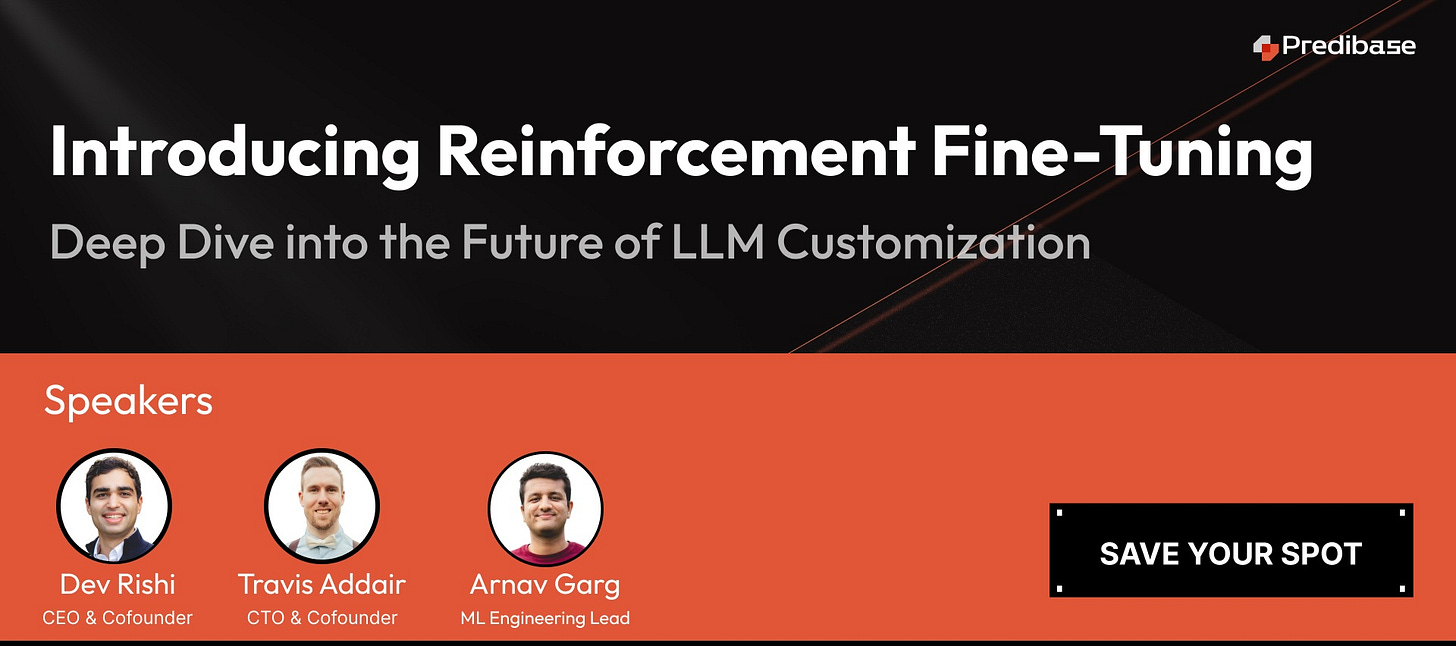
Reinforcement Fine-Tuning (RFT) redefines traditional Supervised Fine-Tuning by delivering breakthrough performance with as few as 10 labeled examples. Inspired by GRPO (the RL technique behind DeepSeek-R1), RFT uses reward functions for a self-improving, interactive training process—ideal for code generation, advanced RAG, and more.
Why You Should Attend
Revolutionary RFT Approach: Discover how RFT achieves breakthrough performance and can be used to create a reasoning powerhouse.
RFT vs. SFT: Learn why RFT outperforms SFT when data is scarce and get a practical framework for deciding which approach fits your use case.
Real-World Success Story: See how we trained a 32B-param model to write CUDA code 3x faster and more accurately than larger LLMs like OpenAI’s o1 and DeepSeek-R1. This open-sourced model will be shared.
Live Demo: See RFT in action, from creating reward functions to deploying optimized models on our new, fully managed RFT platform.
Cut the data-labeling bottleneck and harness reinforcement learning to build AI that keeps improving over time.
Top 20+ Low-Code Platforms to Build Scalable Web Apps
In today’s fast-paced digital landscape, businesses need to develop web applications quickly and efficiently to stay competitive. Low-code platformsare transforming web application development by enabling businesses to build, deploy, and scale apps faster with minimal coding effort. From startups to enterprises, these platforms help bridge the gap between business users and developers by offering drag-and-drop interfaces, automation tools, and AI-driven workflows.
With 2025 on the horizon, the demand for low-code solutions is at an all-time high. From startups to enterprises, organizations are leveraging these platforms to streamline development, enhance scalability, and accelerate digital transformation. In this guide, we’ll explore 20+ of the best low-code platforms for web application development, helping you choose the right solution for your business needs.
What Are Low-Code Platforms?
Low-code platforms are software development environments that allow users to create applications with minimal manual coding by using visual development tools, drag-and-drop components, and pre-built templates. These platforms enable both developers and non-technical users to build, deploy, and manage applications faster and more efficiently than traditional coding methods.
Key Features of Low-Code Platforms:
✔ Visual Development: Drag-and-drop interfaces for easy app design
✔ Pre-Built Components: Ready-to-use UI elements and templates
✔ Automation & AI: Automated workflows and AI-powered assistance
✔ Seamless Integrations: API connectors for databases, CRMs, ERPs, and third-party services
✔ Cloud-Based Deployment: Scalability and flexibility for hosting apps online
✔ Security & Compliance: Built-in security measures for data protection
How Do Low-Code Platforms Work?
Low-code platforms provide a graphical user interface (GUI) where users can:
1. Design applications using drag-and-drop components.
2. Configure logic and workflows using automation tools.
3. Connect to databases and APIs for seamless data integration.
4. Deploy applications instantly without complex DevOps processes.
Instead of writing thousands of lines of code, developers use visual programming and declarative logic to define application behavior. However, most low-code platforms also allow custom coding when needed, providing flexibility for advanced customization.
Who Uses Low-Code Platforms?
🔹 Business Users & Citizen Developers – Build simple applications without deep coding knowledge.
🔹 Professional Developers – Speed up development by automating repetitive coding tasks.
🔹 IT Teams – Create enterprise-grade applications while ensuring security and scalability.
🔹 Startups & Enterprises – Rapidly prototype and launch new digital products.
Why You Should Choose a Low-Code Platform?
Low-code platforms are revolutionizing web and mobile application development by offering a faster, more efficient, and cost-effective approach compared to traditional coding. Whether you are a startup, enterprise, or individual developer, low-code solutions reduce complexity, automate workflows, and enable rapid deployment with minimal coding effort.
Here’s why businesses are increasingly adopting low-code platforms:
1. To Make Your Entire IT Department More Efficient
Low-code development reduces the need to write hundreds of lines of complex code. By eliminating repetitive coding tasks, the development phase becomes more streamlined and optimized. It also enhances the efficiency of IT teams since manual coding is more prone to errors.
Another key benefit is the ability to leverage cloud services, which are cost-efficient, secure, and offer high availability through service-level agreements (SLAs).
With increased efficiency, business users can create more applications to automate business functions, serve internal departments, or launch new services for their target audience.
2. To Enhance Team Collaboration
Low-code platforms come with built-in collaboration tools as an Out-of-the-Box (OOTB) feature. These tools allow diverse teams to work together seamlessly, regardless of their background or technical expertise.
✔ Who Benefits from Low-Code Collaboration?
Citizen Developers – Business users who need solutions but lack coding expertise
In-House Developers – IT teams looking to streamline workflows
Remote Developers – Distributed teams collaborating on projects
Non-Technical Users – Product managers, analysts, and stakeholders
Product Designers – UI/UX designers working alongside developers
By fostering collaboration, low-code platforms enable businesses to innovate faster and create solutions that align with both technical and business goals.
3. To Tackle the Lack of Specialists
The global developer shortage is a growing concern for businesses. According to Developer Shortage Statistics (2022), the lack of skilled developers could cost businesses $8.5 trillion in lost revenue.
✔ Challenges Businesses Face:
Junior developers may lack the experience needed for complex projects.
Senior developers are hard to recruit and require weeks for onboarding.
IT teams are often overwhelmed with backlogs of software requests.
With low-code platforms, businesses can overcome these challenges by enabling non-technical users and citizen developers to contribute to app development, reducing reliance on highly specialized IT staff.
4. To Take a More Flexible Approach
Today’s business leaders prefer composable enterprise models, which rely on modular, flexible, and automation-driven solutions.
✔ Low-code platforms support this shift by:
✔ Enabling adaptive workflows that can evolve with business needs.
✔ Supporting process co-creation, where multiple stakeholders contribute to solution development.
✔ Capitalizing on data to make data-driven decisions faster.
By adopting a more flexible development approach, businesses can accelerate time-to-market and respond more effectively to changing industry demands.
5. To Gather Improved Business Intelligence
Many low-code platforms integrate advanced data engineering, AI, and machine learning (ML) capabilities. This allows businesses to:
✔ Analyze large datasets with ease.
✔ Automate business intelligence efforts for better decision-making.
✔ Optimize workflows using AI-powered predictive analytics.
For example, a company using low-code can automate customer insights reporting, allowing marketing teams to personalize campaigns and improve user engagement in real time.
Top 20+ Low-Code Platforms for Web Application Development
OutSystems is a powerful AI-powered low-code development platform designed for rapid enterprise application development. It offers multi-cloud deployment, built-in DevOps tools, and AI-driven code generation to automate and accelerate software development. With advanced security, scalability, and integration capabilities, OutSystems is widely used by enterprises for customer-facing and internal applications.
🔹 Free Trial: ✅ Available
🔹 Pricing: Starts at $1500/month
✅ Core Features:
✔ Multi-cloud deployment
✔ Built-in DevOps support
✔ AI-driven development
✅ Target Audience:
✔ Large enterprises, IT teams, software agencies
✅ Use Case:
✔ AI-driven automation, business process management
✅ Best For: AI-driven enterprise applications, customer portals, mobile apps
Appian is an AI-powered low-code automation platform that specializes in workflow automation, process mining, and case management. It helps businesses digitize and streamline operations through a drag-and-drop interface, AI-powered insights, and low-code robotic process automation (RPA). Appian’s built-in DevOps, security, and compliance make it ideal for industries like finance, healthcare, and government.
🔹 Free Trial: ✅ Available
🔹 Pricing: Starts at $75/user/month
✅ Core Features:
✔ Business process automation
✔ AI-driven workflows
✔ Drag-and-drop builder
✅ Target Audience:
✔ Enterprises, finance, government agencies
✅ Use Case:
✔ HR automation, finance workflows, risk management systems
✅ Best For: Enterprise automation, workflow management, financial applications
Power Apps is a low-code platform by Microsoft that integrates seamlessly with Microsoft 365, Dynamics 365, and Azure. It enables users to create custom business applications with a visual app builder, pre-built templates, and AI-assisted automation tools. With support for data connectors, AI Builder, and Power Automate, businesses can automate processes and enhance productivity with minimal coding knowledge.
Oracle APEX is a low-code platform optimized for database-driven applications. It enables enterprises to build secure, scalable, and cloud-based applications without extensive coding. With built-in data visualization, REST API support, and multi-user collaboration, APEX is a preferred choice for businesses looking to modernize legacy systems while maintaining high-performance security standards.
🔹 Free Trial: ✅ Available
🔹 Pricing: Starts at $360/month
✅ Core Features:
✔ Drag-and-drop UI
✔ REST API integrations
✔ Role-based security
✅ Target Audience:
✔ Large enterprises, database administrators, IT teams
✅ Use Case:
✔ Enterprise-level application development
✅ Best For: Enterprise database applications, financial services, government portals
Mendix is a highly scalable low-code platform designed for enterprises looking to accelerate digital transformation. It allows developers and non-developers to create applications using visual modeling, AI-driven automation, and built-in collaboration tools. Mendix supports cloud-native deployment, enabling seamless integration with AI, IoT, and big data. With robust security, governance, and multi-user collaboration, it is a preferred choice for complex, large-scale business applications.
🔹 Free Trial: ✅ Available
🔹 Pricing: Contact for pricing
✅ Core Features:
✔ AI-powered development tools
✔ Cloud and on-premise deployment
✔ Pre-built templates
✅ Target Audience:
✔ Large enterprises, developers, business analysts
FAB Builder is an AI-powered code generation / low-code platform designed to simplify and accelerate web and mobile application development with AI assistance workflows, pre-built templates, cloud-based deployment, and real-time collaboration. It seamlessly integrates with MERN, MEAN, React, Node.js, Java, Flutter, and iOS, enabling developers, startups, enterprises, IT teams, and businesses to build scalable and high-performance applications with minimal coding effort.
🔹 Free Trial: ✅ Available
🔹 Pricing: Contact for pricing
✅ Core Features:
✔ Automated Code Generation – AI-driven automation for faster development
Salesforce Lightning is a low-code CRM development platform designed for building enterprise-grade applications on the Salesforce ecosystem. It features drag-and-drop UI components, AI-driven analytics, and automation tools to help businesses create custom CRM solutions. With deep integration into Salesforce Cloud, it streamlines customer interactions and business processes.
Google AppSheet is a no-code development platform that allows users to create custom mobile and web applications without writing code. Integrated with Google Workspace, AI-powered automation, and cloud storage, AppSheet simplifies business process automation and real-time data collection.
🔹 Free Trial: ✅ Available
🔹 Forever Free Plan: ✅ Available
✅ Core Features:
✔ AI-driven automation
✔ Google Workspace integration
✅ Target Audience:
✔ Small businesses, freelancers, internal teams
✅ Use Case:
✔ Internal tools, field service applications
✅ Best For: Business process automation, mobile workforce applications, logistics tracking
Quickbase is a low-code business application platform that focuses on workflow automation, process management, and team collaboration. It enables businesses to build custom solutions for supply chain management, finance, and project tracking with real-time data reporting and governance controls.
🔹 Free Trial: ✅ Available
🔹 Pricing: Starts at $30/user/month
✅ Core Features:
✔ Workflow automation
✔ Real-time analytics
✅ Target Audience:
✔ Business users, IT teams
✅ Use Case:
✔ Automating business workflows and project management
✅ Best For: Supply chain tracking, project management, compliance automation
Zoho Creator is a user-friendly low-code platform for developing custom business applications. With an intuitive drag-and-drop builder, AI-driven automation, and cloud storage integration, businesses can automate processes and improve operational efficiency.
🔹 Free Trial: ✅ Available
🔹 Pricing: Starts at $25/user/month
✅ Core Features:
✔ AI-powered automation
✔ Drag-and-drop UI
✅ Target Audience:
✔ Small businesses, enterprises
✅ Use Case:
✔ Workflow automation, inventory management, business apps
✅ Best For: SMBs, IT teams, internal workflow automation
Wappler is a developer-focused low-code tool offering full coding flexibility while maintaining a visual drag-and-drop environment. With its API-first architecture, direct database connections, and customizable components, Wappler is great for advanced web and mobile applications.
🔹 Free Trial: ✅ Available
🔹 Pricing: Starts at $19/month
✅ Core Features:
✔ API-first architecture
✔ Direct database connections
✔ No vendor lock-in
✅ Target Audience:
✔ Freelancers, IT teams, developers
✅ Use Case:
✔ Custom web applications, API-driven solutions, internal tool development
✅ Best For: Web app development, API-driven solutions, internal tool development
Betty Blocks is a 100% no-code platform for enterprises that want to build applications without writing code. With cloud hosting, visual modeling, and AI integration, it is perfect for business users looking to create complex applications easily.
Creatio is a low-code CRM and workflow automation platform that enables businesses to streamline operations and enhance customer interactions. It includes AI-powered sales automation, case management, and business intelligence tools.
Unqork is a 100% no-code platform designed for large-scale enterprises. It features AI-driven automation, cloud-based security, and compliance-ready infrastructure for industries like finance, insurance, and healthcare.
🔹 Free Trial: ✅ Available
🔹 Pricing: Contact for pricing
✅ Core Features:
✔ AI-powered automation
✔ Enterprise security & compliance
✔ No-code drag-and-drop development
✅ Target Audience:
✔ Large enterprises, financial institutions, government agencies
✅ Use Case:
✔ Financial applications, government portals, insurance automation
✅ Best For: Financial applications, government portals, insurance automation
Airtable combines spreadsheet functionality with database management to offer a low-code app-building experience. Businesses can create custom workflows, manage projects, and automate data processing.
🔹 Free Trial: ✅ Available
🔹 Pricing: Starts at $10/user/month
✅ Core Features:
✔ Hybrid database & app builder
✔ Drag-and-drop automation
✔ Cloud-based storage
✅ Target Audience:
✔ Small businesses, marketing teams, project managers
✅ Use Case:
✔ Project management, team collaboration, business automation
✅ Best For: Project management, workflow automation, data analytics
Retool is a low-code internal tool builder that helps businesses create custom dashboards, admin panels, and back-office applications using pre-built UI components and API integrations.
🔹 Free Trial: ✅ Available
🔹 Pricing: Starts at $10/user/month
✅ Core Features:
✔ Pre-built UI components
✔ REST & GraphQL API support
✔ Access control & authentication
✅ Target Audience:
✔ Developers, IT teams, enterprises
✅ Use Case:
✔ Backend management, API integrations, internal dashboard creation
✅ Best For: Internal tools, backend management, API integrations
Kintone is a collaborative low-code platform that allows teams to build and automate business processes with visual workflows and customizable dashboards.
🔹 Free Trial: ✅ Available
🔹 Pricing: Starts at $24/user/month
✅ Core Features:
✔ Visual app builder
✔ Workflow automation
✔ API connectivity
✅ Target Audience:
✔ SMBs, startups, project managers
✅ Use Case:
✔ Business workflow automation, internal communication apps
✅ Best For: Business workflow automation, HR management tools, internal apps
ServiceNow App Engine is a low-code platform designed for enterprise workflow automation. It helps businesses create custom applications for IT service management (ITSM), customer service, and HR operations. With pre-built templates, AI-powered automation, and cloud-native deployment, it enhances efficiency, compliance, and security across various departments.
🔹 Free Trial: ✅ Available
🔹 Pricing: Contact for pricing
✅ Core Features:
✔ AI-powered automation
✔ Drag-and-drop app builder
✔ Enterprise-grade security
✔ Cloud-native deployment
✅ Target Audience:
✔ Enterprises, IT teams, HR departments, customer service teams
✅ Use Case:
✔ IT service automation, HR process management, enterprise workflow optimization
✅ Best For: ITSM solutions, HR automation, enterprise workflow management
Joget DX is a low-code, open-source application development platform that supports workflow automation, digital transformation, and AI integration. It allows businesses to build scalable web and mobile apps with a drag-and-drop UI, database connectors, and workflow builders.
🔹 Free Trial: ✅ Available
🔹 Pricing: Contact for pricing
✅ Core Features:
✔ Open-source flexibility
✔ Drag-and-drop workflow builder
✔ AI-driven automation
✔ API & database connectors
✅ Target Audience:
✔ IT teams, enterprises, open-source developers, digital transformation teams
✅ Use Case:
✔ Business process automation, AI-powered workflows, enterprise app development
✅ Best For: Open-source development, workflow automation, digital transformation
BuildFire is a low-code mobile app development platform designed for creating custom iOS and Android applications. It features pre-built plugins, a drag-and-drop editor, and cloud-based hosting, making it ideal for startups and businesses looking to launch mobile apps quickly.
🔹 Free Trial: ✅ Available
🔹 Pricing: Contact for pricing
✅ Core Features:
✔ Drag-and-drop mobile app builder
✔ Pre-built plugins & custom integrations
✔ Cloud-based hosting
✔ iOS & Android compatibility
✅ Target Audience:
✔ Startups, small businesses, SaaS companies, mobile app developers
✅ Use Case:
✔ Custom mobile app development, SaaS app solutions, eCommerce mobile applications
✅ Best For: Mobile app development, startup applications, SaaS platforms
Benefits of Low-Code Platforms
Low-code platforms are transforming the way businesses develop software by making application development faster, more accessible, and cost-effective.
Here are the key benefits:
Faster Development – Low-code platforms accelerate the development process by providing pre-built templates, drag-and-drop functionality, and automation tools, reducing coding efforts and speeding up deployment.
Cost-Effective – By minimizing the need for large development teams and reducing manual coding, low-code solutions lower development costs and ongoing maintenance expenses.
Easy Customization – These platforms offer flexibility with built-in customization options, enabling businesses to tailor applications according to their specific needs.
Increased Productivity – With reduced development time, IT teams can focus on innovation, while non-technical users can actively participate in app creation.
Seamless Integrations – Low-code platforms come with API connectors and built-in integrations for databases, third-party services, and enterprise applications, simplifying connectivity.
Automated Maintenance & Updates – Many low-code platforms handle security patches, system updates, and performance optimizations automatically, reducing the burden on IT teams.
Enhanced Security & Compliance – Leading low-code platforms adhere to industry regulations, providing built-in security measures like encryption, authentication, and compliance certifications.
Scalability & Performance – These platforms support scalable application development, making them suitable for businesses of all sizes, from startups to enterprises.
Empower Citizen Developers – Non-technical users, such as business analysts and managers, can create applications without deep coding knowledge, fostering innovation across departments.
With these advantages, low-code platforms are revolutionizing software development, making it faster, more efficient, and accessible to a broader audience.
Low-Code vs. Traditional Code Development: A Detailed Comparison
Low-code development is transforming the software industry by simplifying the application-building process, reducing manual coding, and significantly accelerating development cycles. But how does it compare to traditional coding? Let’s break it down:
1. Development Speed
Low-code platforms offer 5x–10x faster development due to drag-and-drop tools, automation, and pre-built components. In contrast, traditional coding requires developers to write code from scratch, making the process slower and more complex.
2. Cost Efficiency
With low-code, businesses can save on development costs since fewer skilled developers are required. Traditional development, on the other hand, demands highly trained programmers, leading to higher expenses in salaries and maintenance.
3. Technical Skills Required
Low-code platforms are designed for accessibility, requiring minimal coding knowledge, making them suitable for both developers and business users. Traditional coding, however, requires expertise in multiple programming languages, making it less accessible to non-technical users.
4. Customization & Flexibility
Traditional development provides complete flexibility with full coding freedom, allowing developers to build complex and highly customized applications. Low-code platforms, while offering customization options, may have limitations depending on vendor constraints but often allow custom code integration for added flexibility.
5. Security & Compliance
Most low-code platforms come with built-in security features, ensuring compliance with industry standards. However, security is dependent on the vendor’s policies. In contrast, traditional development gives businesses full control over security measures, allowing custom implementations tailored to specific needs.
6. Scalability & Performance
Low-code platforms are scalable for most business needs, making them suitable for startups and enterprises alike. However, scalability is often dependent on the platform provider. Traditional development, in contrast, offers unlimited scalability and performance tuning since developers have full control over infrastructure and code optimization.
7. Maintenance & Updates
Low-code solutions automate updates and maintenance, reducing ongoing effort. Traditional applications require manual updates, which can be time-consuming and costly in the long run.
8. Integration Capabilities
Low-code platforms come with pre-built API connectors for seamless integration with third-party tools, databases, and services. Traditional development requires manual API development and configuration, which provides greater flexibility but demands more effort.
9. Vendor Lock-in vs. Full Ownership
One of the biggest concerns with low-code platforms is vendor lock-in, meaning businesses rely on the provider’s infrastructure and tools. Traditional coding ensures full code ownership, giving businesses complete control over their applications and preventing dependency on third-party providers.
Which One Should You Choose?
✅ Choose Low-Code if you need fast development, lower costs, and automation while focusing on business logic rather than complex coding. It’s ideal for startups, enterprises, and non-technical users looking to build apps quickly.
✅ Choose Traditional Coding if your project requires full control, extensive customizations, high performance, and complete ownership. It’s the best choice for mission-critical applications, advanced security requirements, and large-scale software solutions.
Both approaches have their strengths—low-code is about speed and efficiency, while traditional coding is about full flexibility and customization. The best choice depends on your business needs!
What Is the Future of Low-Code Development?
Low-code development is rapidly growing and is expected to dominate software development in the coming years. Here’s what the future looks like:
AI & Automation Will Enhance Low-Code: Low-code platforms are integrating Artificial Intelligence (AI) and Machine Learning (ML) to enable automated code generation, bug detection, and process optimization.
Low-Code Will Power Digital Transformation: By 2030, more than 65% of software applications will be developed using low-code and no-code platforms, enabling businesses to accelerate digital transformation efforts.
Low-Code Will Improve Enterprise-Wide Integration: Future low-code platforms will offer more advanced API integrations, allowing businesses to seamlessly connect systems, automate workflows, and scale digital solutions.
Hybrid Development Models Will Emerge: While low-code will not completely replace traditional coding, hybrid models will become the norm—blending low-code speed with traditional coding flexibility for more complex applications.
Security & Compliance Will Be Strengthened: Security has been a concern with low-code platforms, but future developments will include advanced compliance tools, zero-trust security models, and AI-driven threat detection.
Conclusion
Low-code development is no longer just an emerging trend—it’s the future of web application development. With a wide range of platforms available, businesses can rapidly build scalable, secure, and feature-rich applications without extensive coding expertise. Whether you’re a startup looking for a cost-effective solution or an enterprise seeking to accelerate digital transformation, there’s a low-code platform tailored to your needs. FAB Builder and other platforms on this list provide robust, scalable, and AI-powered solutions for businesses of all sizes.
As AI, automation, and advanced integrations continue to evolve, low-code platforms will become even more powerful, bridging the gap between business users and developers. Choosing the right platform depends on your specific requirements—whether it’s customization, scalability, or industry-specific features.
By leveraginglow-code, businesses can streamline development, reduce costs, and bring innovations to market faster than ever before. The future is low-code—are you ready to embrace it?
Frequently Asked Questions
1. What is a low-code platform? A low-code platform is a development environment that allows users to create applications using visual interfaces with minimal hand-coding. It accelerates the app development process and reduces the need for extensive programming skills.
2. How do low-code platforms differ from no-code platforms? Low-code platforms require some coding for complex logic or integrations, making them ideal for developers. No-code platforms, on the other hand, cater to non-technical users by offering full visual development without any coding.
3. What are the key benefits of using low-code platforms?
Faster app development
Reduced costs
Improved collaboration between IT and business teams
Easy integration with existing systems
Scalability and flexibility
4. How does FAB Builder stand out as a low-code platform? FAB Builder combines the power of code generation with low-code flexibility, allowing developers to create scalable web and mobile apps using supported tech stacks like MERN, MEAN, React, Node.js, Java, Flutter, and iOS. It streamlines development by automating repetitive coding tasks and accelerating project delivery.
5. Are low-code platforms suitable for enterprise-level applications? Yes! Many low-code platforms, including FAB Builder, offer robust security, scalability, and integration options, making them ideal for both small apps and complex enterprise solutions.
Top 10 Code Generation Tools for Application Development
In today’s fast-paced software development environment, code generation tools have become essential for developers aiming to increase efficiency and reduce manual coding efforts. These tools automate the creation of code, allowing developers to focus on more complex and creative aspects of application development. In this blog, we will explore the top 10 code generation tools that can significantly enhance your development workflow. Among these, we will highlight the unique capabilities of Fab Builder, a leading tool in this space.
1. Fab Builder
Overview
Fab Builder is a versatile and powerful code generation tool designed to streamline the development process. It supports multiple programming languages and frameworks, making it an excellent choice for diverse development needs. Fab Builder’s intuitive interface and robust feature set help developers create high-quality code quickly and efficiently.
Key Features
Multi-language Support: Fab Builder supports a wide range of programming languages, including Java, Python, JavaScript, and C#.
Customizable Templates: Allows developers to create and customize code templates to match their specific project requirements.
Integration Capabilities: Easily integrates with popular development environments and CI/CD pipelines.
Code Quality: Ensures generated code adheres to best practices and coding standards.
Code Snippet Example
Here’s a simple example of how Fab Builder can generate a REST API endpoint in Python using Flask:
from flask import Flask, jsonify, request
app = Flask(__name__)
# Generated endpoint @app.route(‘/api/data’, methods=[‘GET’]) def get_data(): sample_data = { ‘id’: 1, ‘name’: ‘Fab Builder Example’, ‘description’: ‘This is a sample data generated by Fab Builder’ } return jsonify(sample_data)
if __name__ == ‘__main__’: app.run(debug=True)
2. JHipster
Overview
JHipster is a development platform that generates, develops, and deploys Spring Boot + Angular/React/Vue web applications and Spring microservices. It provides an end-to-end solution with many out-of-the-box features.
Key Features
Full-Stack Code Generation: Supports both backend and frontend code generation.
Microservices Support: Facilitates the development of microservices architecture.
Integrated DevOps: Includes tools for continuous integration and deployment.
Extensive Customization: Offers numerous options to customize generated code.
Code Snippet Example
# Generate a new application jhipster
# Generate an entity jhipster entity Product
3. Yeoman
Overview
Yeoman is a scaffolding tool for modern web applications. It provides a robust and highly customizable toolset for generating boilerplate code for new projects.
Key Features
Wide Range of Generators: Thousands of generators available for various frameworks and libraries.
Customization: Highly customizable to fit different project needs.
Community Support: Large community contributing to the creation of new generators.
Code Snippet Example
# Install a generator npm install -g generator-webapp
# Generate a new project yo webapp
4. CodeSmith Tools
Overview
CodeSmith Tools is a template-based code generation tool that helps developers create consistent and high-quality code across projects. It supports various data sources and can generate code for multiple languages.
Key Features
Template-Based: Uses templates to generate code, ensuring consistency.
Database Integration: Supports generating code from databases, making it ideal for data-driven applications.
Custom Templates: Allows creating custom templates to suit specific project needs.
Code Snippet Example
// Template code (C#) <%@ CodeTemplate Language=”C#” TargetLanguage=”C#” %> <% string className = “MyGeneratedClass”; %> public class <%= className %> { public int Id { get; set; } public string Name { get; set; } }
5. Swagger Codegen
Overview
Swagger Codegen is a powerful tool that generates client libraries, server stubs, API documentation, and API clients from OpenAPI Specifications. It supports various languages and frameworks.
Key Features
API First: Promotes API-first development by generating code from API specifications.
Wide Language Support: Supports numerous languages and frameworks.
Customization: Allows customization of generated code to meet specific needs.
Code Snippet Example
# Generate a Python client from an OpenAPI spec swagger-codegen generate -i swagger.yaml -l python -o ./client
6. Rails Scaffold
Overview
Rails Scaffold is a feature in Ruby on Rails that automatically generates the model, views, and controller for a new resource. It speeds up development by providing a working starting point.
Key Features
Rapid Prototyping: Quickly generates code for new resources.
Convention Over Configuration: Adheres to Rails conventions, reducing the need for configuration.
Integrated: Seamlessly integrates with the rest of the Rails framework.
Code Snippet Example
# Generate a scaffold for a Product resource rails generate scaffold Product name:string description:text price:decimal
# Run migrations to update the database rails db:migrate
7. Hibernate Tools
Overview
Hibernate Tools is a suite of tools for Hibernate and JPA development. It includes features for code generation, reverse engineering, and database schema synchronization.
Key Features
Reverse Engineering: Generates Java code from existing database schemas.
Code Generation: Automatically generates entity classes and configuration files.
IDE Integration: Integrates with popular IDEs like Eclipse and IntelliJ IDEA.
Code Snippet Example
# Command to reverse engineer a database schema hbm2java -config hibernate.cfg.xml
8. Angular CLI
Overview
Angular CLI is a command-line interface for Angular that generates boilerplate code for new projects and components. It simplifies Angular development by automating repetitive tasks.
Key Features
Code Generation: Generates components, services, modules, and more.
Project Management: Manages builds, tests, and deployments.
Best Practices: Ensures generated code adheres to Angular best practices.
Code Snippet Example
# Generate a new component ng generate component my-component
9. Plop
Overview
Plop is a micro-generator framework that makes it easy to create custom generators for your projects. It uses a simple and flexible approach to automate code generation.
Key Features
Custom Generators: Easily create custom generators to suit your needs.
Interactive CLI: Provides an interactive command-line interface for generating code.
Flexibility: Highly flexible and can be integrated into various workflows.
Microsoft Power Automate, formerly known as Microsoft Flow, is a service that helps automate workflows and tasks across applications and services. It includes capabilities for code generation and workflow automation.
Key Features
Workflow Automation: Automates workflows across multiple applications and services.
Integration: Integrates with a wide range of Microsoft and third-party applications.
Templates: Provides a library of pre-built templates for common tasks.
Code Snippet Example
While Power Automate doesn’t generate traditional code, it allows you to automate workflows using visual design tools and pre-built templates.
# Example of a Power Automate workflow (visual representation) Trigger: When a new email arrives Action: Save email attachment to OneDrive
Conclusion
Choosing the right code generation tool can greatly enhance your development efficiency and code quality. Fab Builder stands out among these tools with its versatility, multi-language support, and powerful features. By incorporating Fab Builder and other tools mentioned in this blog into your development workflow, you can streamline your processes, reduce manual coding efforts, and focus on creating innovative solutions.
Each tool has its strengths and is suited for different scenarios, so consider your project requirements and workflow preferences when making a decision. Happy coding!
In recent years, artificial intelligence (AI) has emerged as a powerful tool, revolutionizing various industries. One area where AI is making significant strides is software development. Traditionally, software development has relied heavily on human expertise and labor-intensive processes. However, with the integration of AI technologies, teams are now able to leverage intelligent systems to…