WordPress REST API cung cấp giao diện cho các ứng dụng tương tác với trang web WordPress của bạn bằng cách gửi và nhận dữ liệu dưới dạng đối tượng JSON (JavaScript Object Notation). Các ứng dụng này có thể là plugin WordPress, chủ đề hoặc ứng dụng tùy chỉnh cần truy cập dữ liệu trang web WordPress.
Một trong những triển khai nổi tiếng nhất của WP REST API là Block Editor, một ứng dụng JavaScript tương tác với dữ liệu WordPress thông qua REST API.
🔰WordPress REST API là gì ?
Để hiểu về WordPress REST API, chúng ta cần phân tích các thành phần khác nhau của nó. Hãy bắt đầu bằng phần giới thiệu về API. API là gì? API – Application Programming Interface là giao diện lập trình ứng dụng cho phép các hệ thống có thể tương tác với nhau một cách dễ dàng. Nó đóng vai trò là trung gian giữa hai phần mềm, tạo điều kiện cho sự hợp tác liền mạch. Ví dụ: Nếu bạn muốn hiển thị một sản phẩm của Google trên trang web của mình, chẳng hạn như bản đồ, bạn sẽ cần sử dụng Google Maps API.
🔰REST là gì?
REST – Representational State Transfer là một tập hợp các hướng dẫn mà các nhà phát triển phải tuân theo khi tạo API. Do đó, REST API là một giao diện được xây dựng với các tiêu chuẩn này.
Build Mobile App Backend with WordPress REST API – Free eBook
Want to build a mobile app without creating a separate backend? This eBook, Mobile App Backend Development with WordPress REST API: A Complete Guide, shows you how to use WordPress as a powerful backend for mobile applications. Traditionally used for websites and blogs, WordPress can also manage your app’s data, user accounts, and content through its REST API.
You’ll learn how to set up WordPress locally, understand REST API basics, handle secure authentication using OAuth and JWT, and create custom endpoints. The guide also explains how to perform CRUD operations (Create, Read, Update, Delete) and connect your app to WordPress using frameworks like React Native.
Security and debugging tips are included to help ensure your backend runs smoothly. With step-by-step instructions and real examples, this eBook is perfect for developers looking to save time and costs by reusing a familiar platform. Download now.
Want to build a Vue JS/Wordpress Rest API backend hybrid, with superfast loading times?
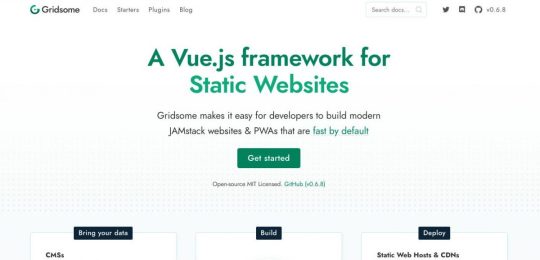
Here we take a look at Gridsome static site generator for Vue JS, which is a similar tool to React’s Gatsby generator, and build a site using the Vue Wordpress Rest API.
The use of Jamstack (Javascript, API’s and Markup) technologies is on the rise nowadays, as they provide a simpler developer experience, better performance and greater scaleability. Most React developers are familiar with the Gatsby site generator, however with Vue JS there are a number of different options. Here we take a look at the Gridsome cli for Vue JS, which has some cool features out of the box, and a lot more that can be added with the use of plugins.
Gridsome for Vue Wordpress
With Gridsome, you get the following out of the box, in a quick two minute install.
Local development with hot-reloading - See code changes in real-time.
Data source plugins - Connect to any popular Headless CMSs, APIs or Markdown-files.
File-based page routing - Quickly create and manage routes with files.
Centralized data management - Pull data into a local, unified GraphQL data layer.
Vue.js for frontend - A lightweight and approachable front-end framework.
Auto-optimized code - Get code-splitting and asset optimization out-of-the-box.
Static files generation - Deploy securely to any CDN or static web host.
Built-in component that outputs an optimized progressive image - resizes and crops in real-time when developing.
Everything Lives in Github
With a JAMstack project, anyone should be able to do a git clone, install any needed dependencies with a standard procedure (like npm install), and be ready to run the full project locally. No databases to clone, no complex installs. This reduces contributor friction, and also simplifies staging and testing workflows.
Modern Build Tools
Take advantage of the world of modern build tools. It can be a jungle to get oriented in and it’s a fast-moving space, but you’ll want to be able to use tomorrow’s web standards today without waiting for tomorrow’s browsers. And that currently means Babel, PostCSS, Webpack, and friends.
Automated Builds
Because JAMstack markup is prebuilt, content changes won’t go live until you run another build. Automating this process will save you lots of frustration. You can do this yourself with webhooks, or use a publishing platform that includes the service automatically.
Wordpress Rest API
Since the introduction of the Wordpress Rest API , it has opened up a whole new world of possibilities for Viue JS/Wordpress hybrids, utilizing the features above and combining them with the vast infrastructure and support available with Wordpress. Whilst this may not be suitable for many requirements, there are certainly some which will benefit from this approach.
Wordpress Vue Starter Templates
The Gridsome Wordpress setup (there are others) has the features you need to connect to a Wordpress back end to pull in data to display at the Vue front end, typically loading faster than normal and with a lot of other benefits.
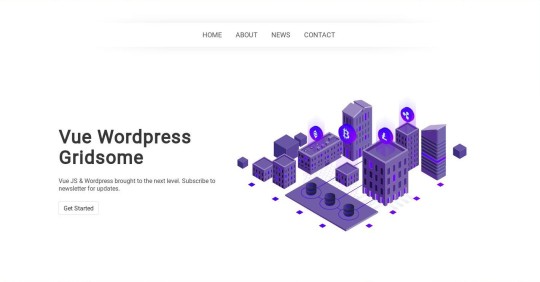
For anyone interested in building a Vue JS front end and using the Wordpess Rest API Ive created some starter templates using Gridsome which have been enhanced from the standard Gridsome Wordpress starter with some extra bits, to get you up and running fast. Please note I haven’t used the g-image here, so remember to change those when inserting your own images.
The Wordpress API is https://vuewp.xhostcom.com/ and we use the endpoints from that to test some data. These are already in the config files, but if you have your own Wordpress setup you can obviously use that, just change the url in gridsome.config.js and netlify.toml
You will first need NodeJS and NPM installed, and Gridsome using the command
npm install –global @gridsome/cli
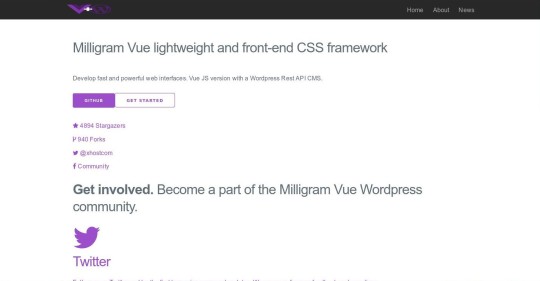
And then clone from Github any of the following starters, which will get you up and running quickly. Example Code (Bulma CSS) Example Code (Bulma CSS) Example Code (Milligram CSS)
Here’s a blank one with just a nav bar and no CSS or JS Example Code (No CSS)
Once cloned, just run Yarn to grab the dependencies, and gridsome develop command to run the test server. You can of course change the CSS and add your own Javascript as required, but these get you up and running ready to go with the Wordpress Rest API data as is.
You can just clear the markup in all the page templates back to the tags and put in your own markup. Creation of extra pages, once added to the menu in /components/header.vue will be routed accordingly with the superfast router, one of the best features I’ve found, and a breeze compared to others such as Nuxt.
So these are just basic starter templates, there’s a lot more that can be done using the GraphQL data bindings and other functionality in Gridsome and Wordpress to create your site.
Feel free to contribute on Github.
Vue CLI 3 & UIKit
Finally, for those who prefer the official Vue JS CLI, here’s one using that, and UIKit CSS/JS Framework, with a mobile nav bar which will blow your socks off! Its NOT configured for the Wordpress Rest API but can be with a little application, or you may want to port the styles using the Gridsome starter above. Example Code (Vue CLI - UIKit)
So, there we have a few Gridsome Vue Wordpess Starters to have a look at, and also a Vue CLI with UIKit starter to play around with and get a feel for the Vue JS Wordpress API setup, although it can get a lot more interesting if we delve deeper in to Gridsomes GraphQL, extra functions and post template features.
Feel free to check them all out on Github at Xhostcomweb
Post by Xhostcom Wordpress & Digital Services, subscribe to newsletter for more